Training of American firefighters in virtual reality
Train your crew before the actual departure
Fire Crew XR brings your firefighters together in the same fire, each in their VR helmet or on their screen. Forced opening, thermal camera, launch, victim rescue: the real tools, the real actions, and a trainer who drives everything live. Designed for the United States fire services : US procedures, equipment and units.
- US Firefighters · NFPA standards
- Beta Open
- Multiplayer
- PC & VR
- WebGL · no installation required
- Training console
Quick access
An address, nothing to install
In the browser on your headset or your computer, simply open:
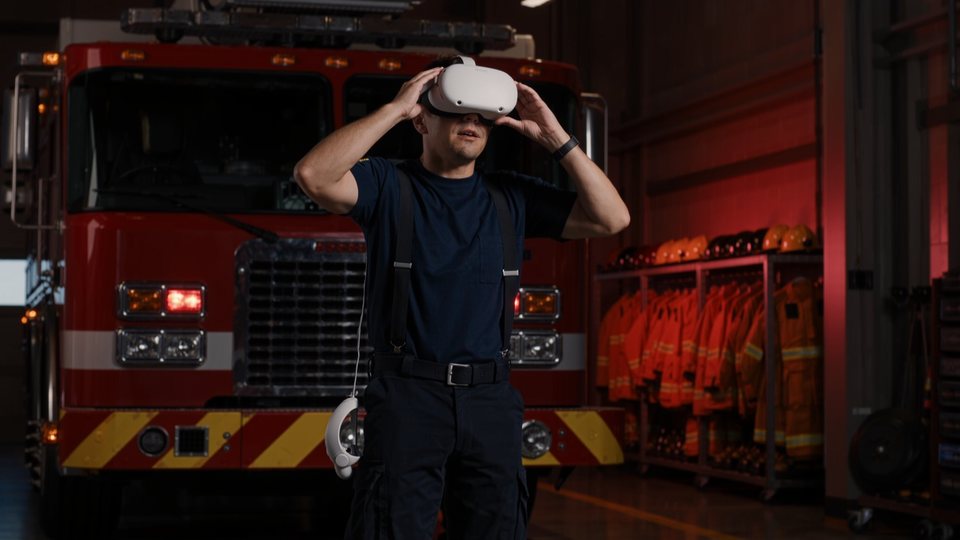
Interns · VR headset
Joining in with the helmet
- Open the headset browser and tap firecrew.pro-xr.com
- Enter the 6-digit session code given by the trainer
- Enter your name, rank and assignment, then enter VR
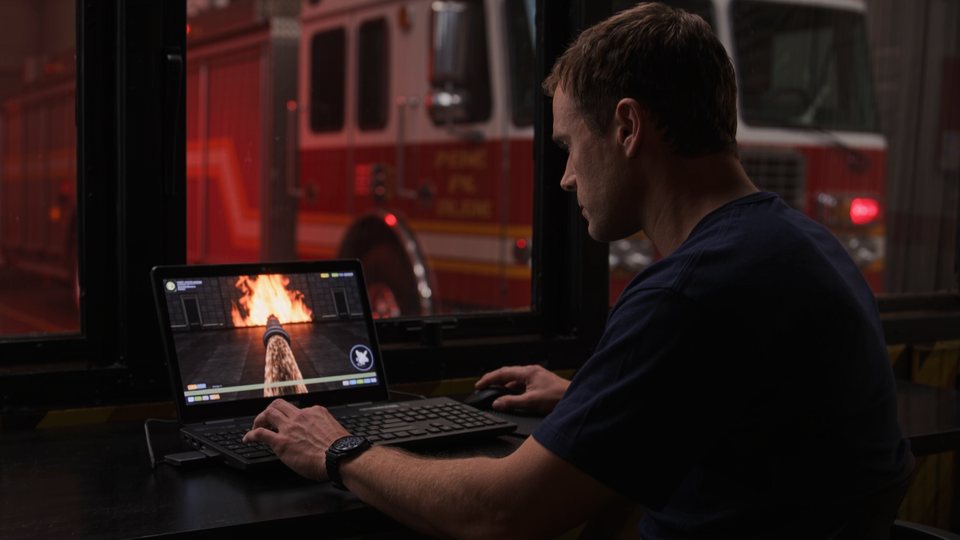
Interns · computer
Join on screen
No headset? The same address works on PC, with a keyboard and mouse. Headsets and screens are found in the same session, on the same computer.
Open Fire Crew XR
Trainers
Piloting the exercise
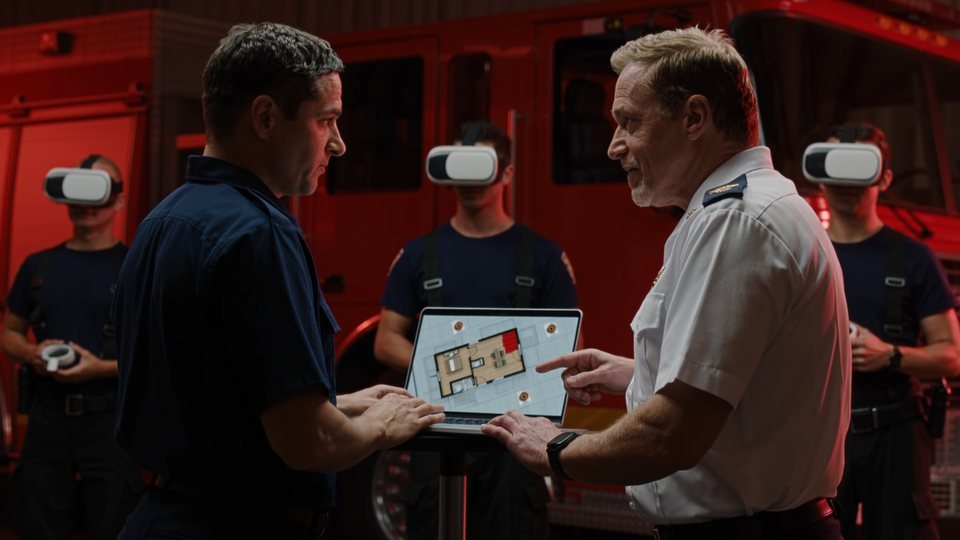
Launch or plan an exercise, invite your crew using a QR code or link, then follow everything from the console. A simulated crew training mode allows you to try without counting.
Training space Try the console in demo modeTrailer
One minute in the heart of the fire
What your firefighters really do
The real tools, The real actions
Each tool is taken in hand, in the cabinets of the device or on oneself, and is used with the actual gesture. The result depends on the gesture.
8 workshops to learn each tool
Before the intervention, the training barracks. A virtual instructor guides the trainee, step by step, in front of a board with objectives.
- ARI and PASS beacon, vehicle and tools, launching device
- Forced opening, thermal camera, rescue, radio and Mayday
- Each validated step is displayed live
Halligan and axe, as on the field
We engage the Halligan lever in the door day, on the lock side; we hammer on the hammer, then we apply leverage. The speed of the blow gives the force.
- Doors locked or blocked
- Windows to be broken and then defaced
- Opening times and poorly placed shots noted
Reading the heat through the smoke
The camera detaches from the chest or the trunk, lights up at the trigger, and the image appears only on its screen. You have to look at it to see it.
- Identification of the home and the victims
- Helmet light and hand lamp
- Survey of the walls in the smoke
Finding the victim, getting her out
Primary search for the piece by piece, then pulling the victim by the collar or harness. Two people work faster. The effort is worth it in terms of air pressure.
- Conscious or unconscious victims
- Air consumption related to effort
- Low air level alarm and PASS immobility alarm
A spear that behaves like a spear
The hose is unwound, placed on the ground, hooked into the angles, and folded. The water is put in the pump, the jet is adjusted, and the base of the flames is aimed.
- Direct or broadcasted, gradual opening
- Backswing, teammate in support
- The pipe’s folds reduce the flow rate
Together, in real time
Chief of operations, attack partner, search and rescue: each one joins in with their role. We see each other, we talk to each other on the radio, we trigger a Mayday.
- VR helmets and screens in the same session
- Voice radio on the shoulder microphone
- Simulated teammates to complete the crew
Training console
The trainer Keep your hand
Tactical 2D map or 3D view, squad list, objectives, diary: all the exercise on one screen. And at any time, an event to build up the pressure.
View in section view, view of the trainee
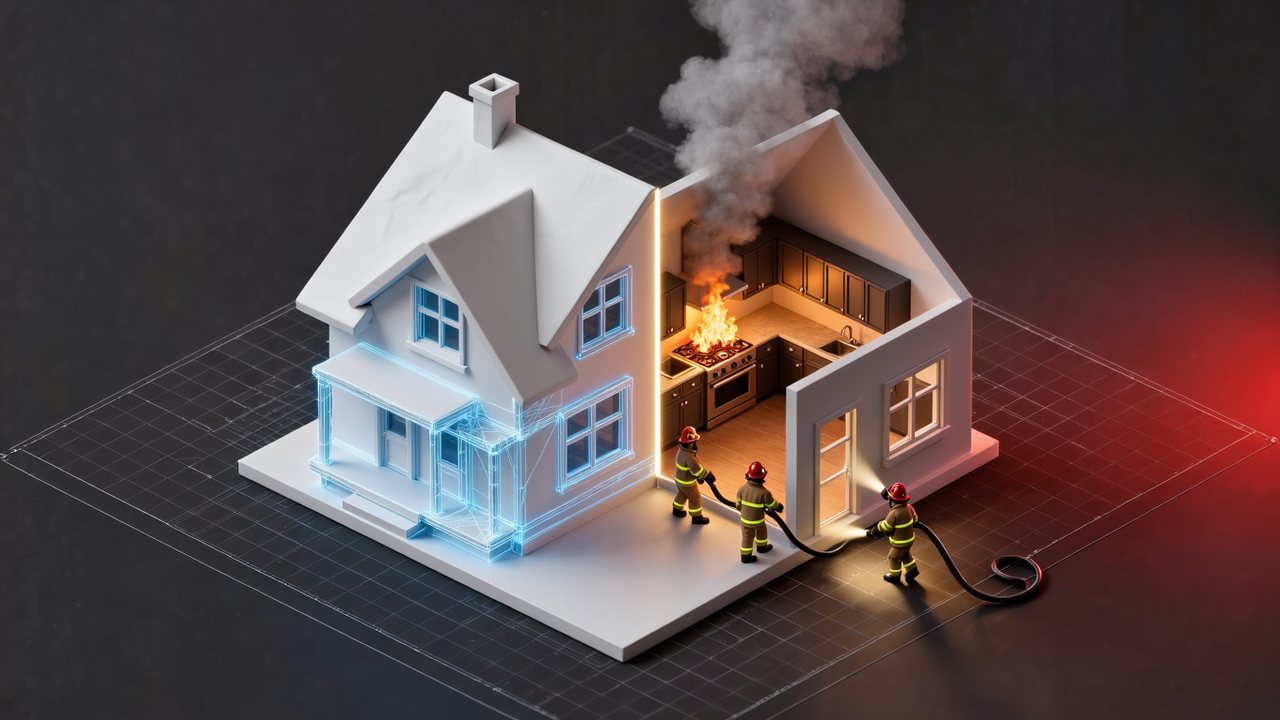
Free camera, tracking, subjective view, top view, up to 4 views at once. The house opens in section to follow each firefighter, with air pressure included.
Events on request
General breakdown, collapse, new fire, additional victim, ARI failure, loss of water, burst pipe, door stuck. One click or programmed in advance.
A report after each exercise
Time before launching into the fire, time for forced opening, duration of search, response to Mayday, air remaining at the exit. Replay on plan, export PDF and CSV.
Scenario editor
On the building level: place the fire and victims, lock doors, break windows, schedule events. Preview in 3D before launching.
Planned exercises
A 6-digit code reserved in advance, QR code invitations, link, email, SMS, or an agenda file.
Training files
The history of the sessions and the progress of each trainee, with an export for the follow-up of training hours by the service.
PC & VR · WebGL
In the helmet or on the screen
Fire Crew XR runs in WebGL and WebXR, directly in the browser. No app store, no file to download, no update to manage.
- In a helmet: the tools are held by hand, with one or two hands, using the controllers
- On a computer: keyboard and mouse, no additional hardware required
- The two join together in the same session, using the same code
- The trainer monitors the exercise from a simple computer
- The headset is not included: you use your own Meta Quest
Scenarios
From the kitchen fire the firefighter on the ground
Four ready-to-run interventions, random scenarios by difficulty level, and yours thanks to the editor, including in your own imported buildings.
Cooking fire
One victim in the room; the front door locked.
Rescuing a family
Several victims have been located and rescued.
Fire in the room, at night
Reduced visibility and locked entrance door.
Mayday exercise
A firefighter on the ground: the crew must react.
Your buildings
Import your building, Train yourself in it
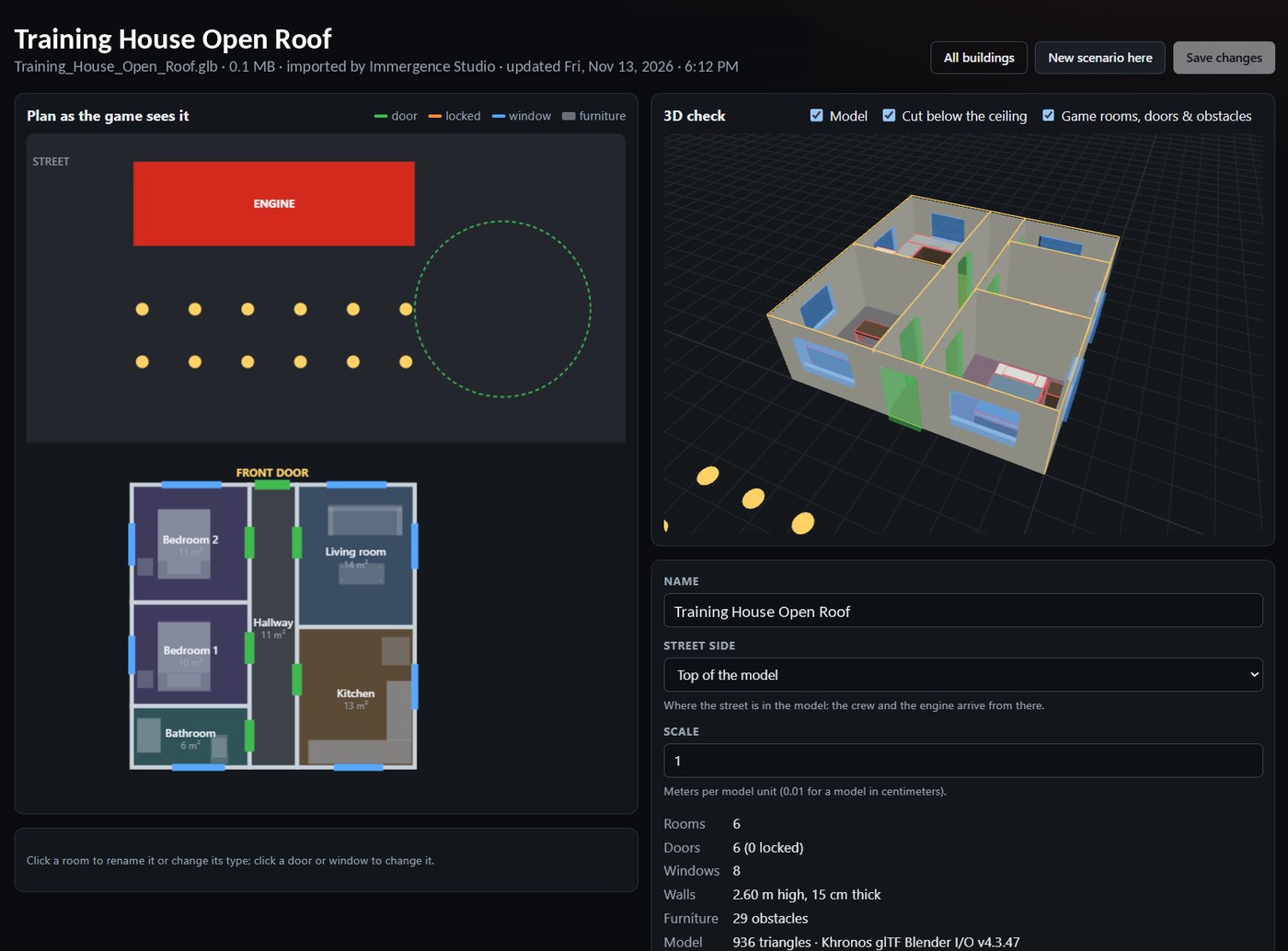
A school, a shop, a pavilion typical of your area: import its 3D model in GLB format, exported from SketchUp, Blender or Revit. Fire Crew XR detects the parts, doors and windows on its own, and you create your scenarios inside.
- Drag your .glb file in the Buildings menu of the training space.
- Check the detected plan, In 2D and 3D. One click is enough to correct a piece, a door or a window, lock it or open it.
- Publish, then create your scenarios inside Fires, victims, locked doors, programmed events.
Fire and smoke spread from room to room in your building; the walls and furniture stop the trainees. One level per file, up to 40 MB maximum, up to 20 buildings per service. Included with the Station plan.
.glb
.glbPrices
The right price for the size of your crew
One question only: how many headsets are playing at the same time? You always pay the cheapest price for this size. The trainees take turns without limit, and the training console, dashboard and reports are included everywhere.
That's $468 per year per helmet, for a couple or a small crew.
Up to 8 helmets at the same time. Cheaper than the price per helmet from the fourth one onwards.
Up to 16 helmets at the same time. Import of your 3D buildings included.
Up to 32 helmets and 3 sessions at the same time.
Beyond 32 helmets, several parallel sessions.
Discovery, free
4 interns, 1 session. No credit card required.
14 days trial
Offered upon registration of your service.
One-day pass, 150 USD
One day of exercise, 8 trainees per session. The 5-day booklet: 600 USD.
Software license: the headset is not included. Fire Crew XR is compatible with your own Meta Quest headsets or computers. Price in US dollars, billed annually in a single payment, no automatic renewal. Quotes and purchase orders on the pricing page.
Frequently asked questions
Fire Crew XR: Your questions
Do I need to install an application?
No. Fire Crew XR runs in WebGL and WebXR in the browser. In the headset as well as on the computer, you open firecrew.pro-xr.com, enter the 6-digit session code, and join the crew.
What equipment is needed?
A virtual reality headset equipped with a compatible WebXR browser, such as the Meta Quest, or a simple computer with a keyboard and mouse. Both can participate in the same session. The trainer uses a computer.
What does the trainer see during the exercise?
The console displays a 2D tactical map or a 3D cut-away view of the building, the personnel with the air pressure of each person, the status of the launch and doors, the timed objectives, and the event log. It can also be viewed through the eyes of an intern.
Can one create their own scenarios?
Yes. The editor allows you to place the fires and victims on the building plan, lock doors, break windows, and program events such as a general blaze or a power outage. Random scenarios exist in three difficulty levels.
Can I try it without paying?
Yes. Training mode launches the simulation in the browser with a simulated crew: open the console in demo mode.
Is Fire Crew XR suitable for French firefighters?
Fire Crew XR is designed for firefighters in the United States and does not follow the French standards. It follows the practices of North American fire departments: PASS alarm and low air pressure alarm according to NFPA standards, flow rates in gallons per minute, and pressures in psi.
Does the Fire Crew XR replace real-life maneuvers?
No. It is a training tool that prepares and complements the maneuvers: the crew repeats the procedures, communication and coordination, then debriefs based on the exercise report.
Is the helmet provided?
No. Fire Crew XR is a software license: you use your own Meta Quest headsets or your computers. Nothing needs to be installed; everything happens through the browser.
How much does it cost?
The Discovery plan is free (4 trainees, 1 session) and each service that subscribes benefits from a 14-day trial. After that, it all depends on the number of headsets playing at the same time: 39 USD per headset and per month for 1 to 3 headsets, then more advantageous annual plans, Team at 1,500 USD (up to 8 headsets), Station at 2,500 USD (up to 16), and Department at 4,500 USD (up to 32). A one-day pass is available for 150 USD. All the details are on Rates page.
Open beta
Register and come try it
Create your service account, launch a first exercise and bring your crew in with a simple code.
A PRO XR solution · edited by IMMERGENCE Studio