



Electrical habilitation in virtual reality
Training in electrical hazards, without ever exposing your trainees
A technical room, a TGBT, a dashboard, a workshop: your trainees are equipped, record measurements, check for voltage and identify hazards. Every error is noted and explained, and the trainer follows along live.
Access to the platform
Ready to enter the technical area?
VOLT XR opens directly in the browser, without any installation required: the trainees in the headset, the trainer on their computer. Two entry points, one session.
Joining a session
In the headset browser (Meta Quest 3, Pico) or on a PC, open:
https://volt.pro-xr.com- Enter the 4-digit code displayed by your instructor
- Enter your first name, then «Join the session»
- Once the task is loaded, press «Enter VR»
Free training: once you have entered the code for your center, the headset will lock onto it.
Open VOLT XRRunning the session
From a computer, log in to your training area:
https://volt.pro-xr.com/formateur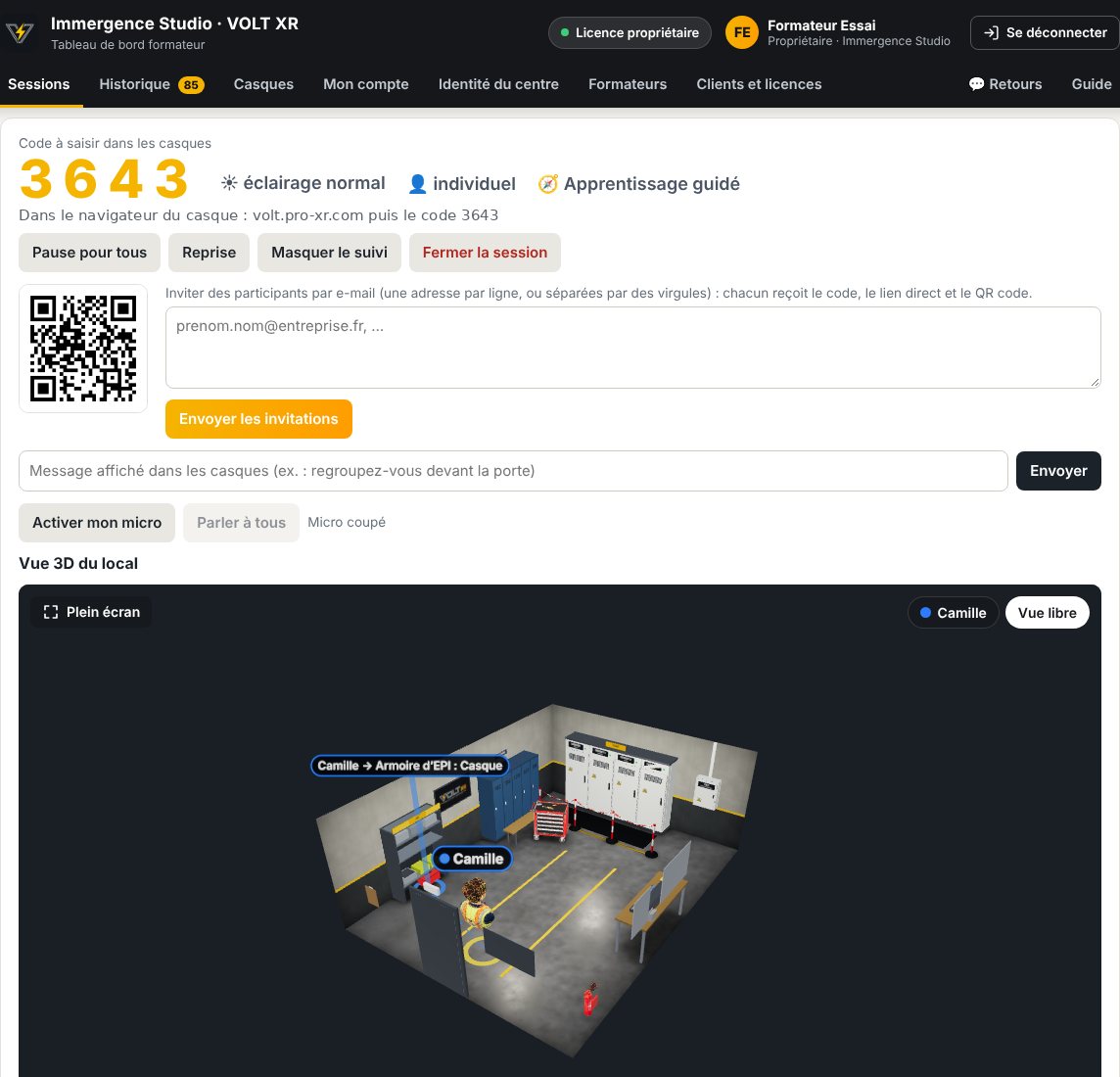
- Open a session: mission, training mode, solo or team
- Track each trainee in 3D, see what they see, talk to them through the microphone
- Retrieve the statements, history, CSV export, and certificates
IDs are provided with your center's license. Not yet equipped? Request a demo.
Access the dashboardWhy VOLT XR
A tool designed for training centers
VOLT XR complements your theoretical knowledge and real-world exercises: your trainees repeat procedures, experience risk situations, and understand their mistakes before moving on to supervised practice.
Zero risk, real mistakes
We let the trainee make a mistake: opening a cabinet without being authorized to do so, crossing the marking, checking for no voltage with an untested device. The error is classified as a serious fault or forgetfulness, immediately reported and explained in the report.
Handcrafted gestures
Opening a cell door with its handle, lowering a lever, placing the lock, applying the two tips of the detector connected by their cord: the handles of the helmet become the trainee’s hands.
Realistic work places
A technical area with its TGBT, an office and a worktop, an industrial workshop, and a training room. Normal or reduced lighting, at the discretion of the trainer.
Nothing to install
VOLT XR opens in the headset’s browser (WebXR). The trainee enters a 4-digit code and joins the session.
The trainer keeps the hand
Live 3D view of the site, each trainee’s progress, a view of what they see, a pause for everyone, messages and microphones in the helmets.
Training, not certification
VOLT XR prepares for certification without issuing it: it produces the evaluation elements and the end-of-training certificate; the title remains issued by the employer.
The thread of the story
The same rigor in every mission
An intervention voucher or instruction launches each mission. The tablet on the wrist displays the step, the instruction, and a list of controls; a sheet explains each validated action.
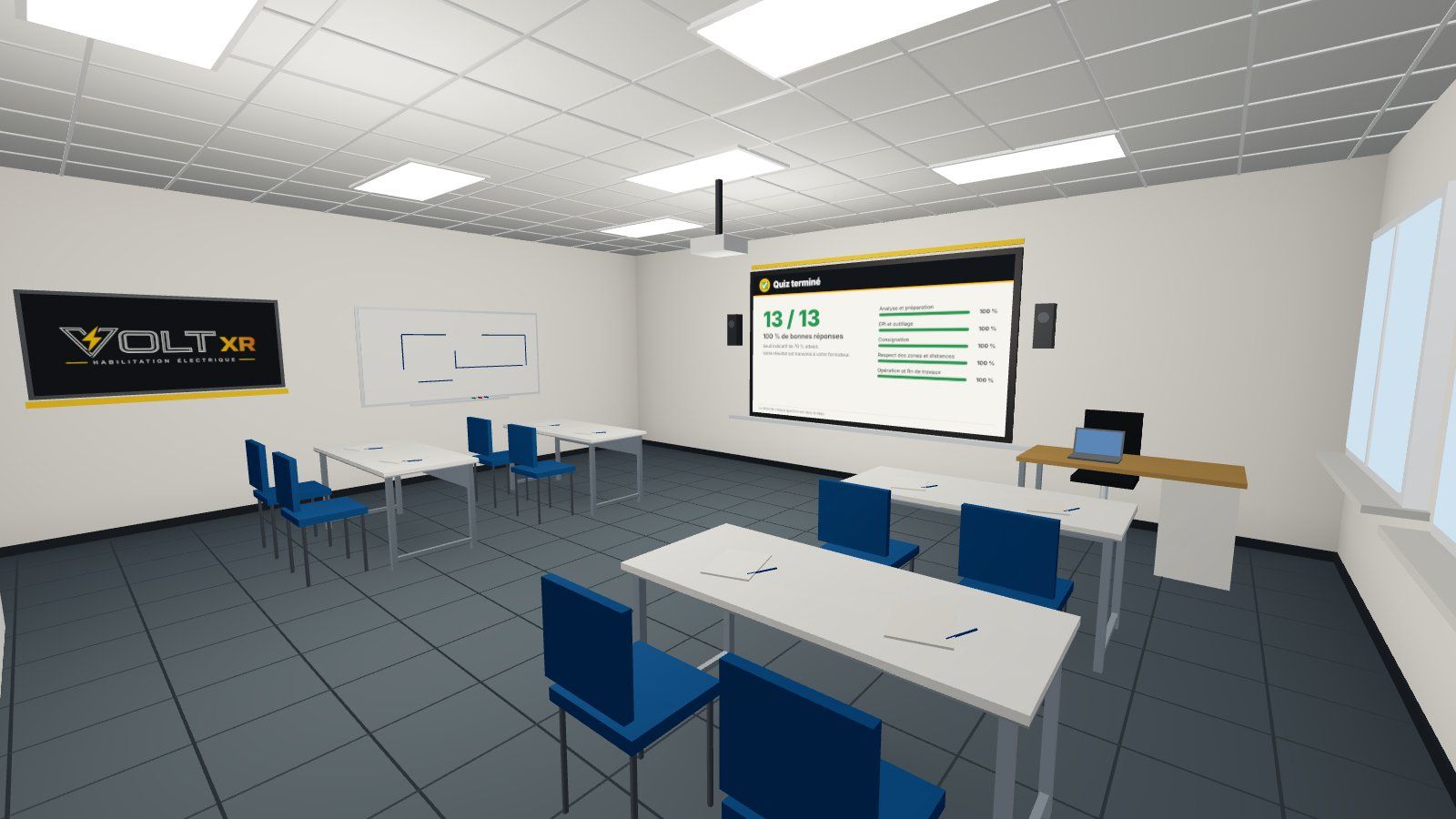
Learning
The theoretical module and its quiz, in the virtual training room.
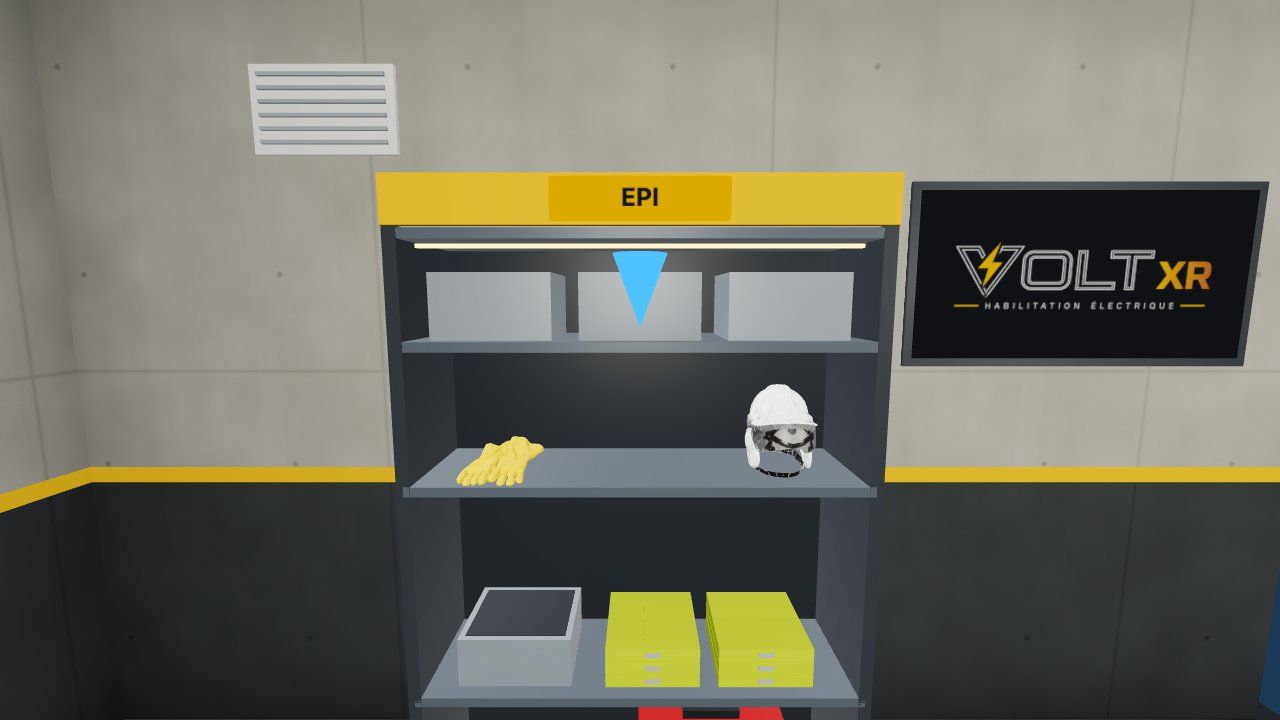
Getting equipped
Face shield and insulating gloves, taken from the PPE cabinet before intervening.
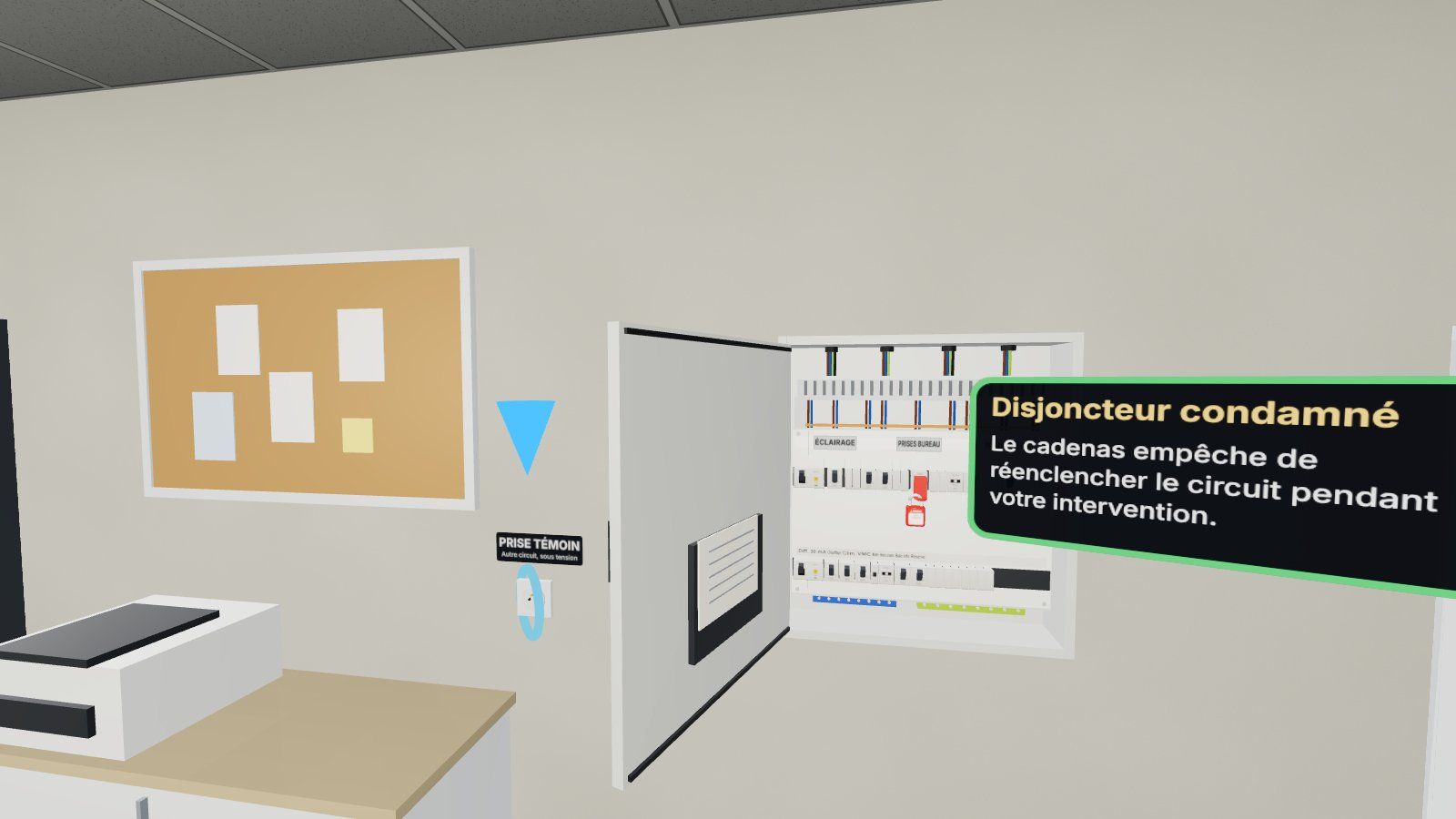
Make it safe
Cut off the correct circuit, lock it down, check for no voltage.
To report
Account is taken of the intervention voucher, then an automatic summary is generated.
The missions
Real situations, from the non-electrician to the maneuver
Each mission corresponds to a symbol of empowerment and its limits: what the trainee is allowed to do, and what he must leave to others.
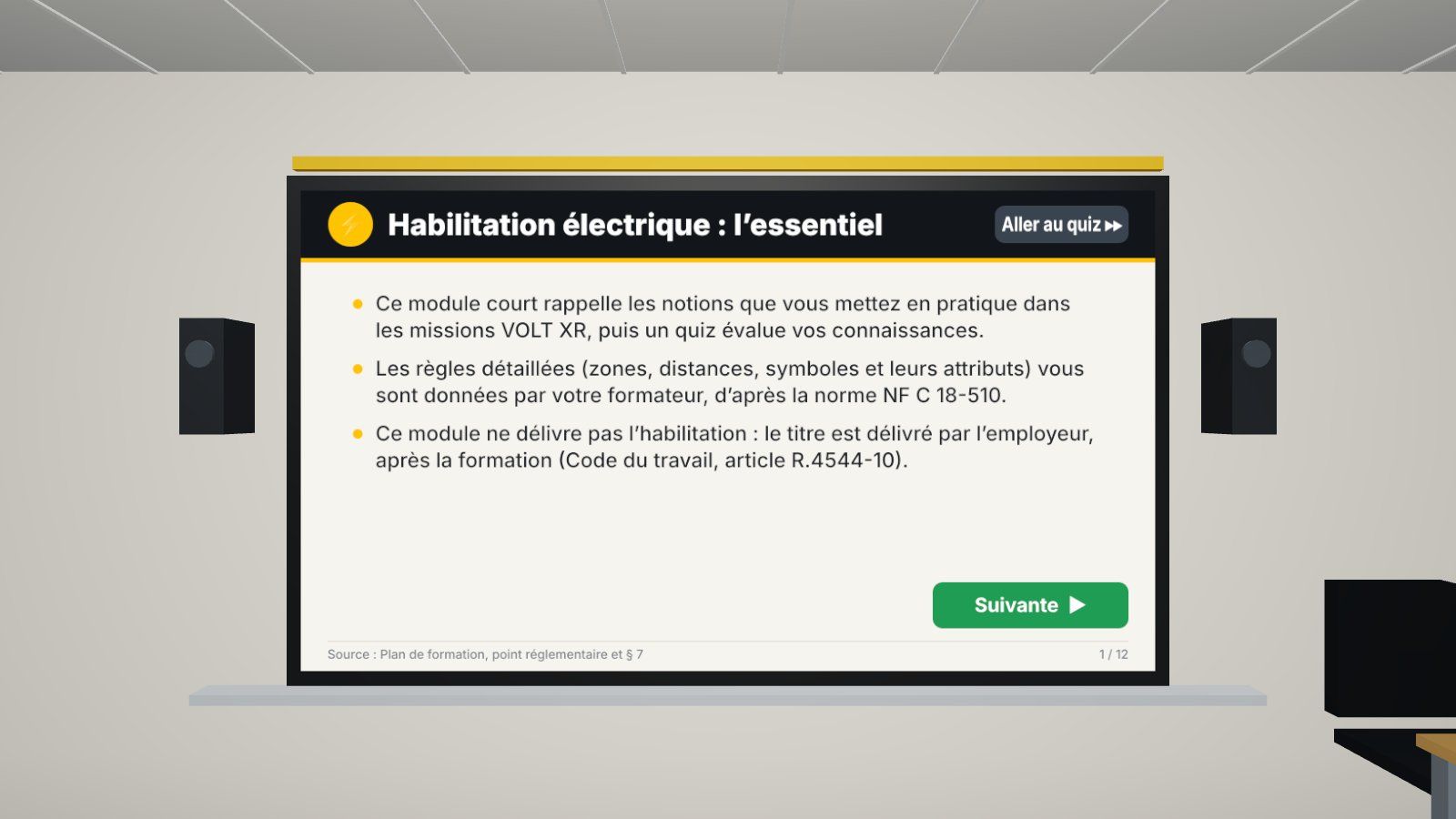
Theoretical module and quiz
In a virtual training room: 12 slides on the large screen, then 13 questions. Immediate correction or evaluation without assistance.
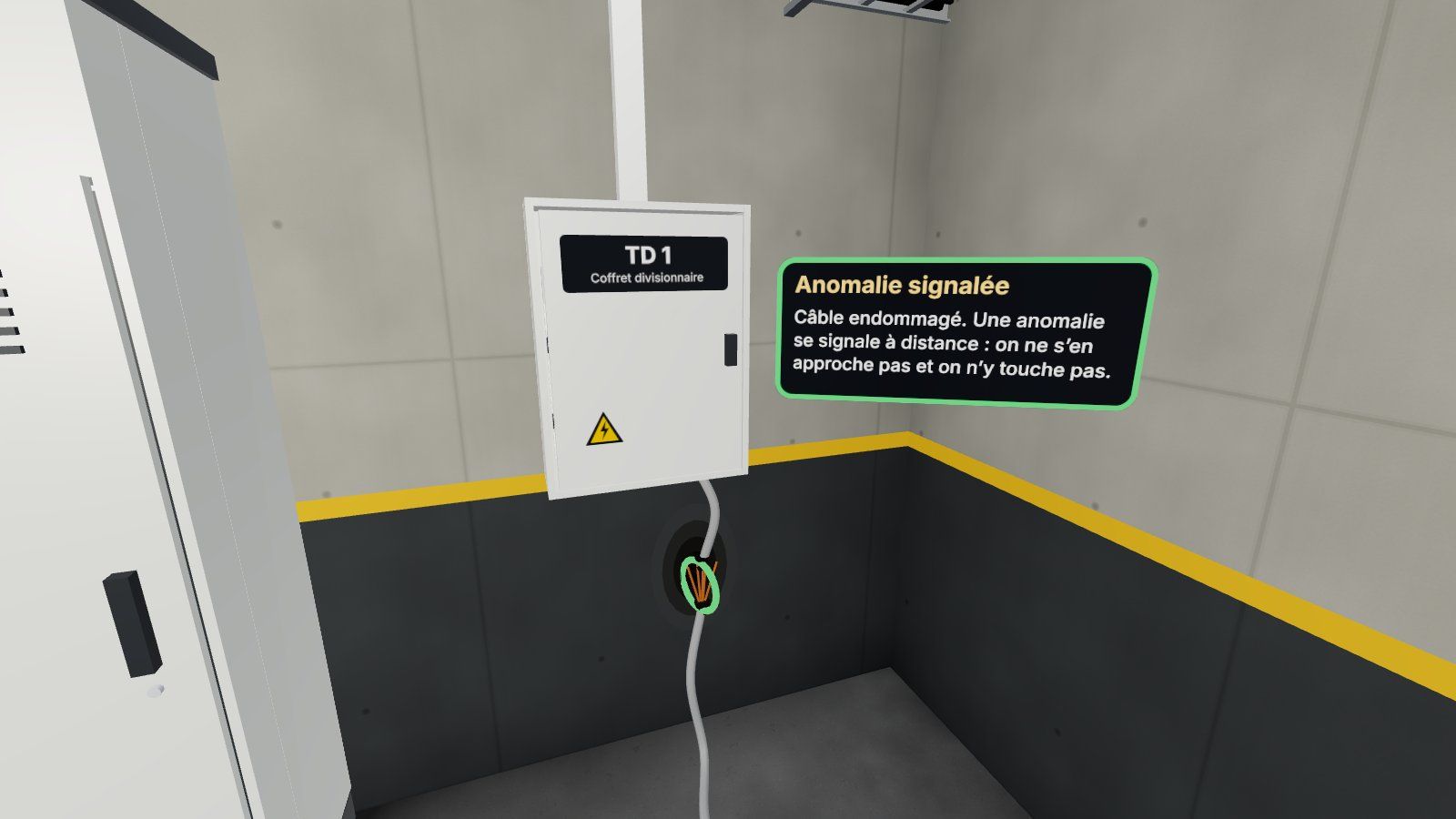
Non-electrical work in an electrical installation
Control the fire extinguisher in the technical area: follow the TGBT markings, do not open any cabinets, and remotely report a damaged cable or a missing cover.
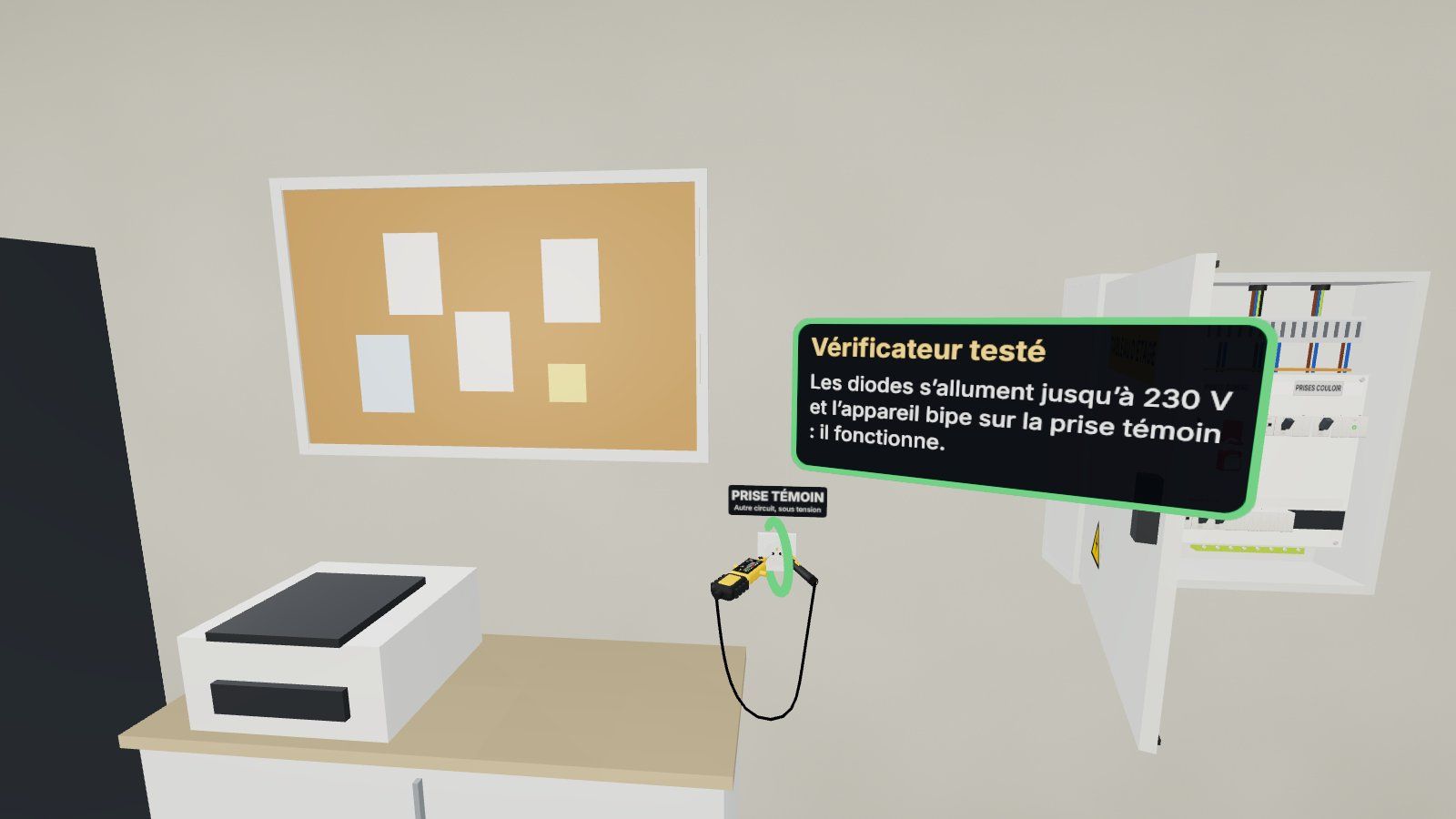
Replacing a power outlet
Cut the proper circuit breaker, attach a padlock to it, test the tester on the test socket, check for the absence of voltage, replace it, and restore it to service.
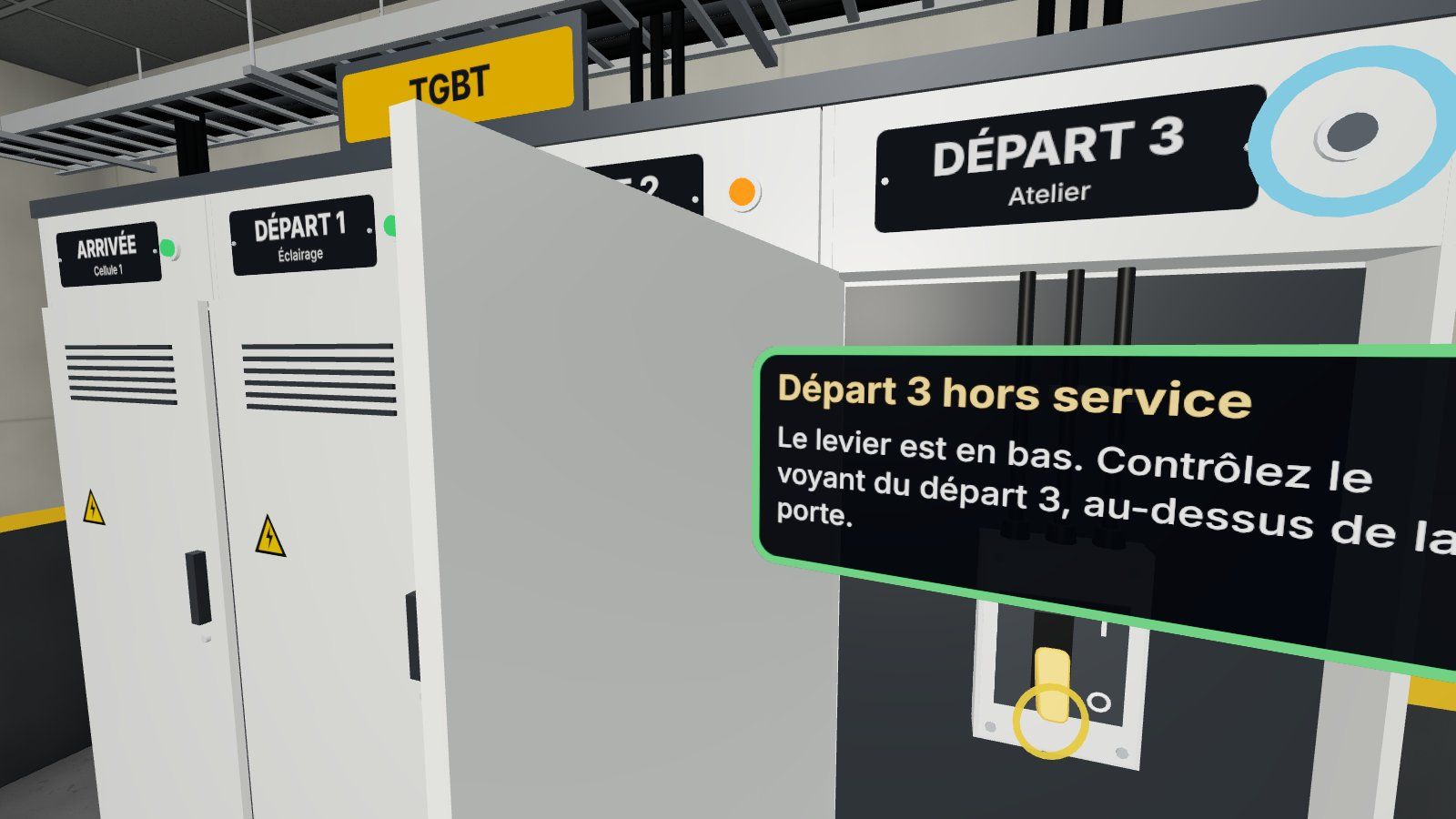
Putting a departure from the TGBT out of service
Read the instructions, open the correct cell by hand, lower the lever, check the indicator light, do not rearm the neighboring trigger that triggered it, and report back.
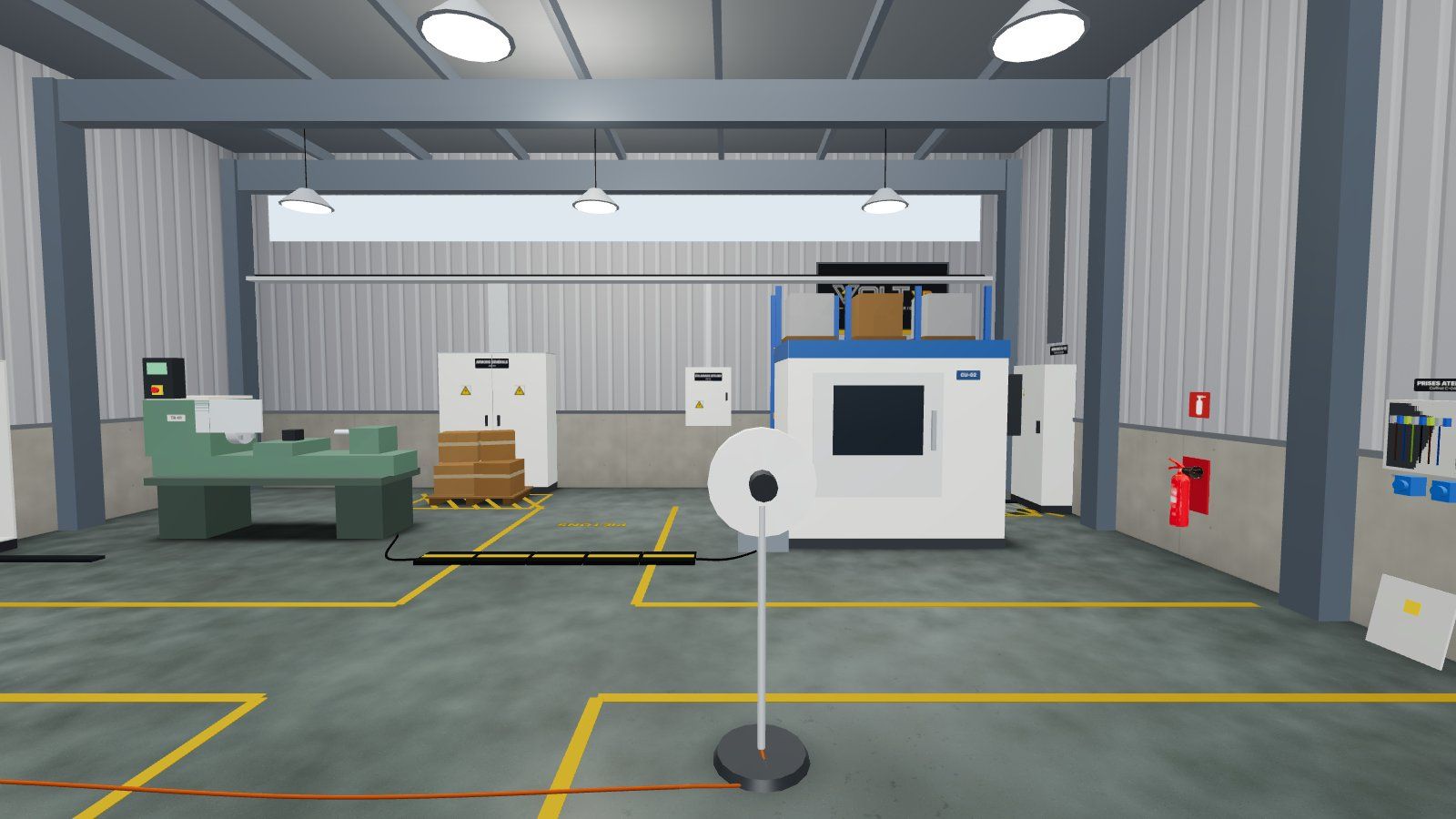
Risk hunting in a workshop
Ten anomalies to be noticed (water at the foot of a cabinet, damaged cable, multiple sockets in a cascade…) and five lures: they are detected remotely, without ever having to touch them.
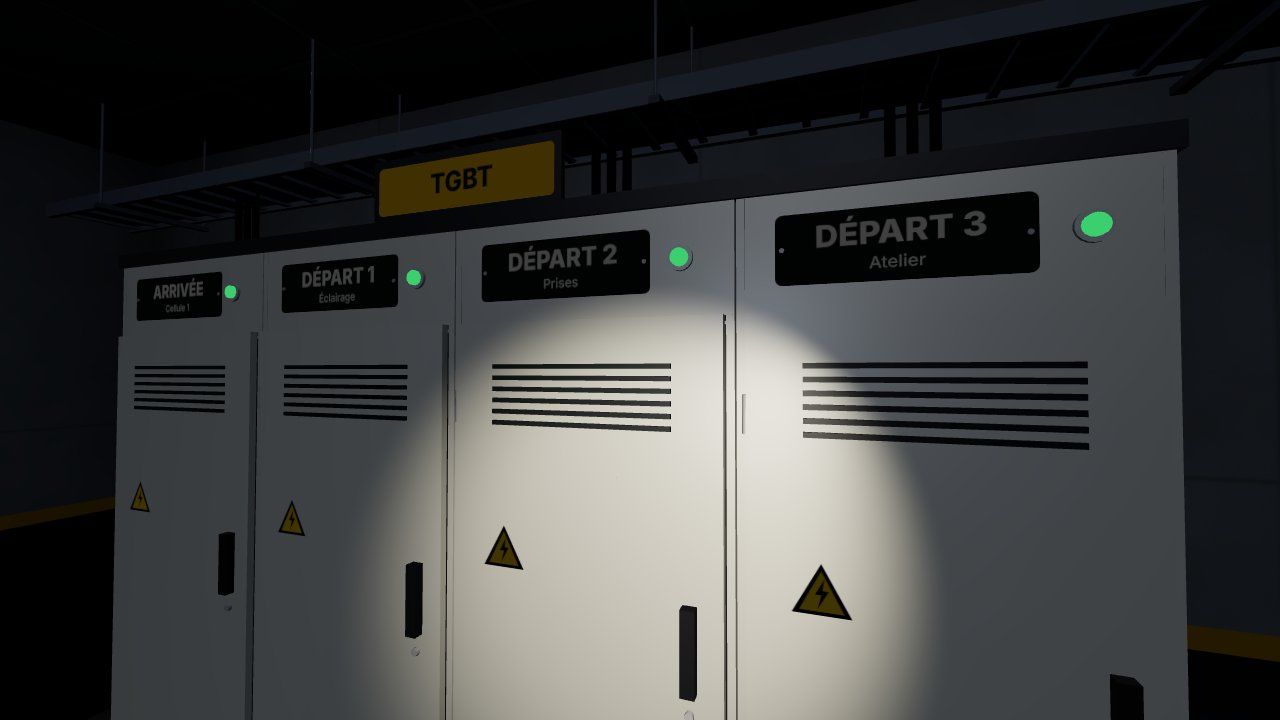
Neighbourhood and electrical accident
Work near live parts, then the proper behavior when dealing with an electrically charged colleague: do not touch, cut, alert, and protect.
Checking for the absence of voltage
The key gesture, done as on the field
The voltage-free tester is held in two hands: a case, a tip connected by its flexible cord, diodes that light up, and a beep when there is voltage.
- Test on the sample before measurement
- The two spikes applied in the slots of the catch
- New test on the sample after the measurement
- An omission or a misordering is noted and explained in the balance sheet
Training methods
From the first trial to evaluation
The trainer chooses the level of support for the opening of the session; the same content is used for learning, training, and assessment.
Guided learning
Clues in the scene, notes after each action, immediate alerts.
- Destination and items to be seized reported
- Correction for each question of the quiz
Training
Less help: the intern builds his or her procedure.
- Only the controls already performed are displayed
- Errors always reported
Evaluation without assistance
No help, no alert: everything is measured and returned in the balance sheet.
- List of hidden controls
- Quiz without correction during the exam
Solo: free training
The intern chooses his or her mission and repeats it as many times as necessary, using the code of the center.
As a team: several helmets, one session
The interns are in the same room and talk to each other through the microphone. One person’s recording is valid for all; individual safety remains the responsibility of each person.
On the trainer side
You see what your interns are doing
From a simple browser, the trainer opens the session, tracks each headset in 3D and retrieves the results.
- One-click open session: mission, training mode, lighting, solo or team; 4-digit code
- Live 3D view of the workplace, workshop or office, a step that is being taken by each trainee
- View of what the trainee sees: immediate alert for every serious mistake
- Pause for everyone, messages in the headphones, the trainer's microphone, the microphone disconnected remotely
- Training history, as seen by an intern, exported CSV
- Return to the studio in one click: a remark, a capture, a response
Evaluation
An objective assessment, ready for the debriefing
Everything is measured during the mission, without the intervention of the trainer.
- Analysis and preparationGood intervention report read, good equipment identified, instruction followed
- EPI and toolsFace shield, insulating gloves, tester tested before and after
- ConsignmentCircuit failure, condemnation, verification of absence of voltage
- Respect of zonesMarking, cabinets left open, anomalies reported without touching them
- Operation and completion of worksActions in order, commissioning, report
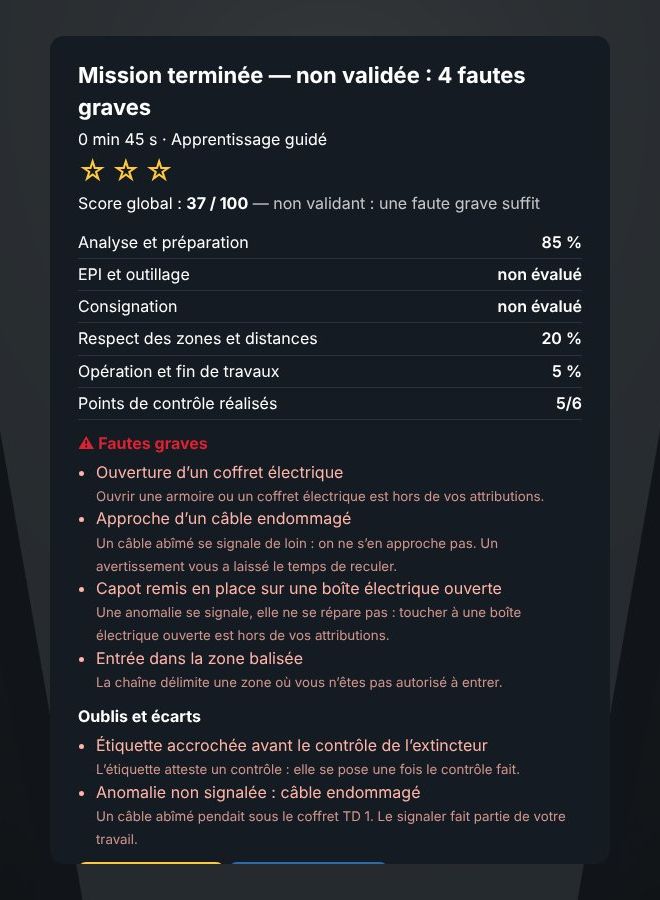
Each error is classified as a serious fault or omission. A serious fault prevents the mission from being validated, as on the ground.
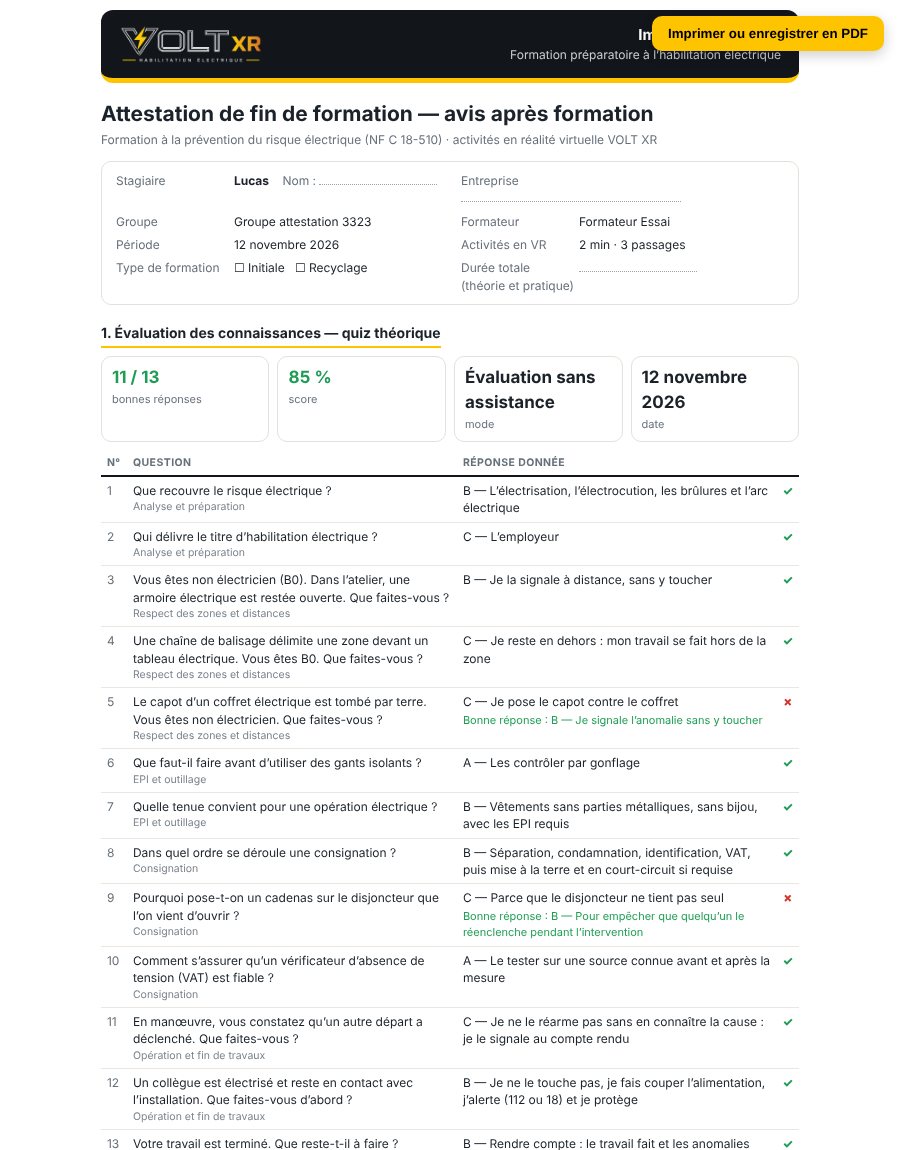
After the training
A certificate of completion of training by an intern
In just one click from the history, a document ready to be printed or saved as a PDF, in the format of a post-training report.
- Identity, period and duration of activities in virtual reality
- The quiz question by question, with the correct answer below each error
- The results of each mission and the points to review
- The symbols in the situation, the opinion and the signature of the trainer
The certificate does not constitute authorization: the title is issued by the employer (Labour Code, art. R.4544-10). Documentation: brochure INRS ED 6127.
Gallery
VOLT XR in pictures
Captures taken in the application. Click to enlarge.
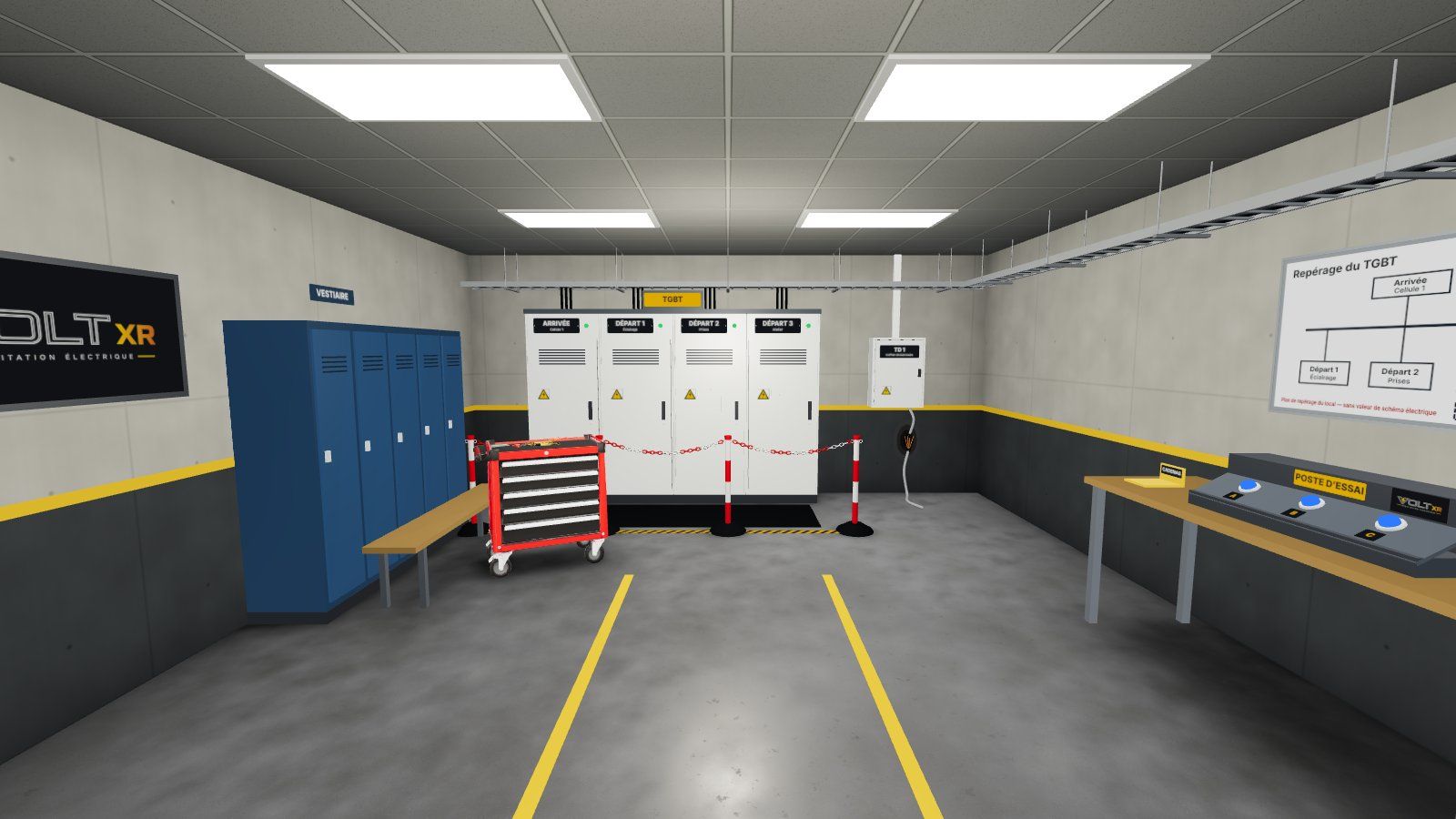 The technical room: TGBT, split cabinet, PPE cabinet
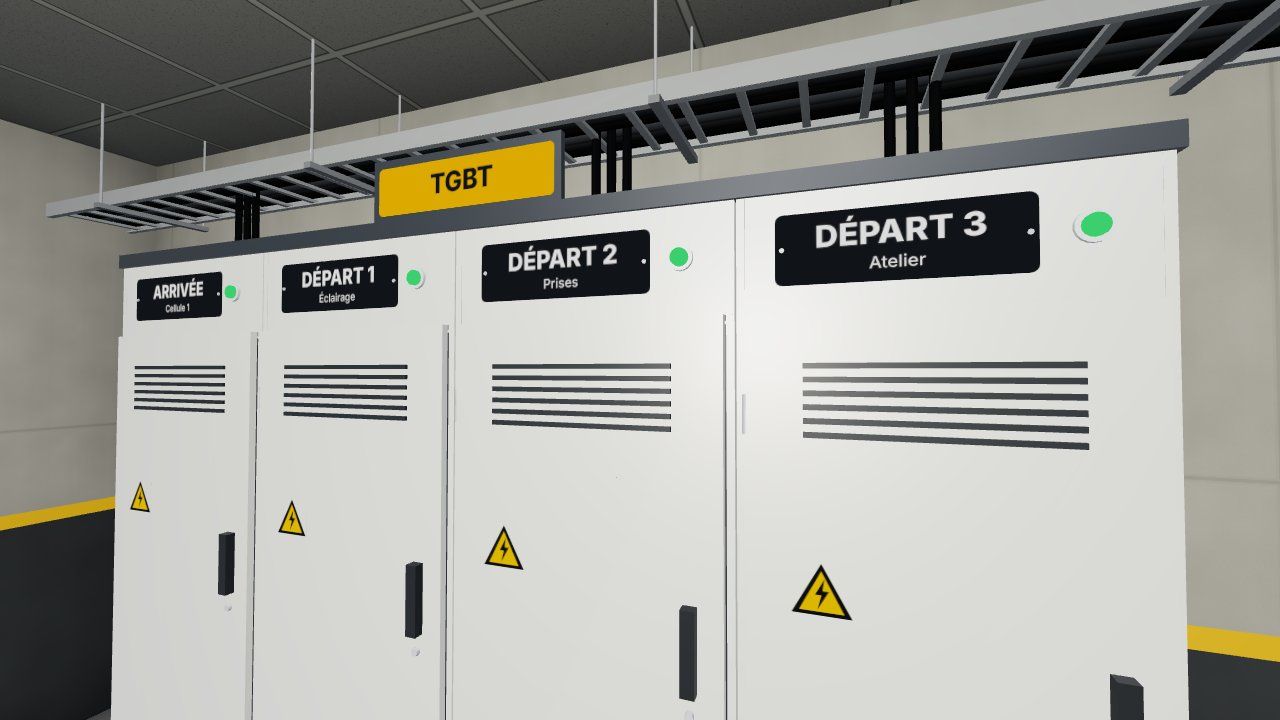 The TGBT and its marking on the groundThe EPI cabinet: face shield helmet, insulating gloves
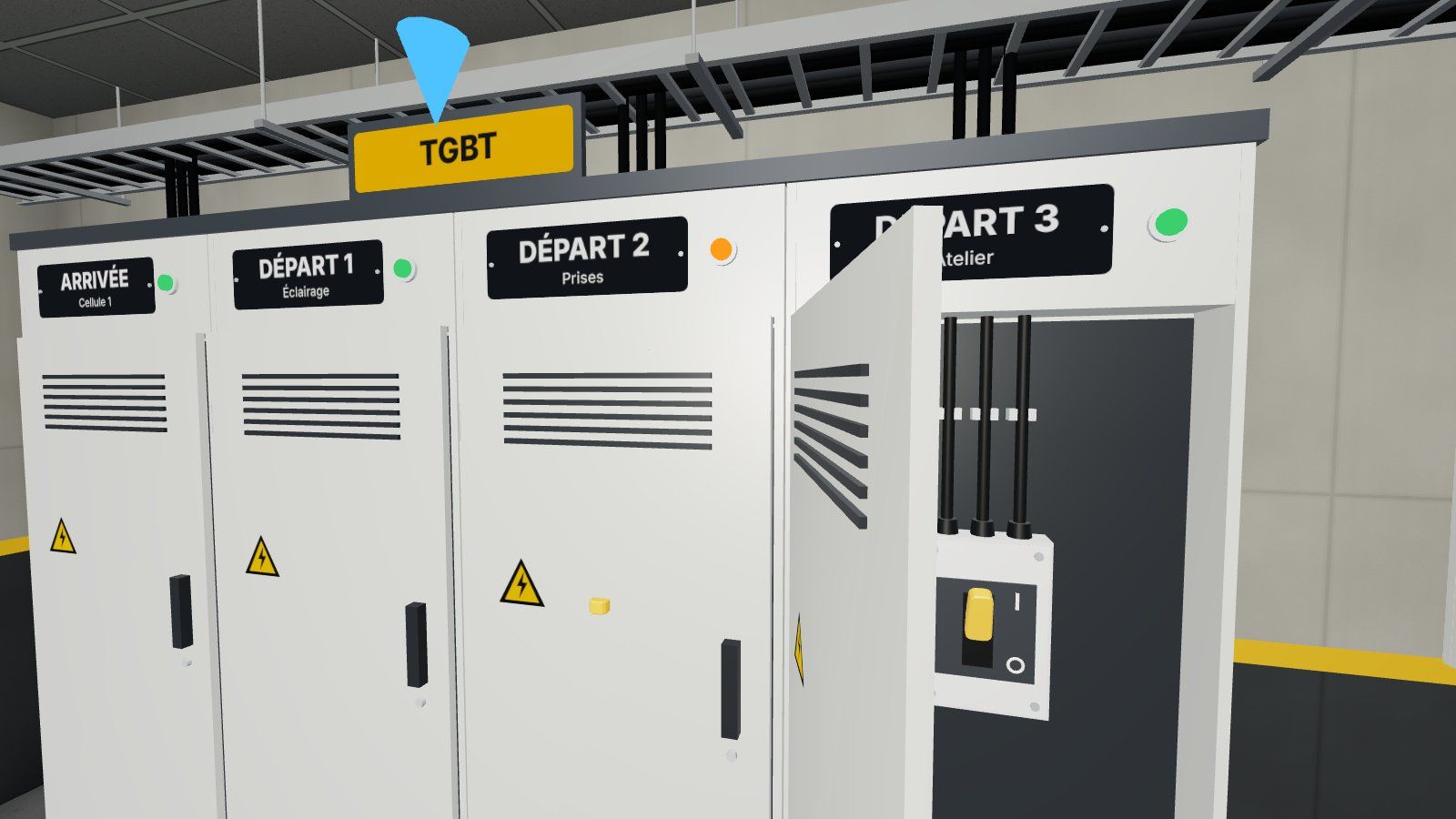 Mission 3: the cell open to hand, lever lowered
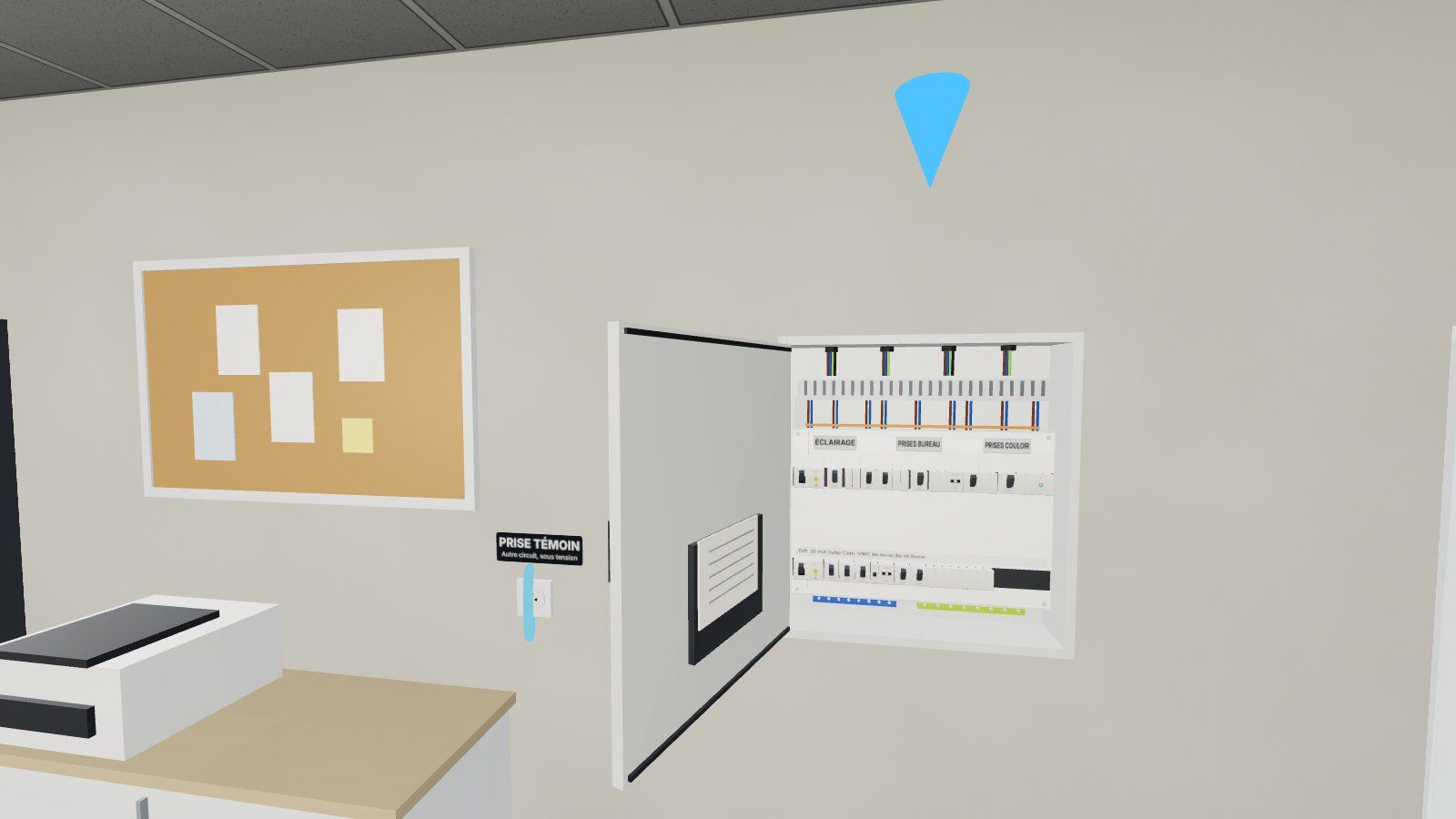 Mission 2: the open-plan floor plan, circuit breakers and a combMission 2: The circuit breaker condemned to the padlock
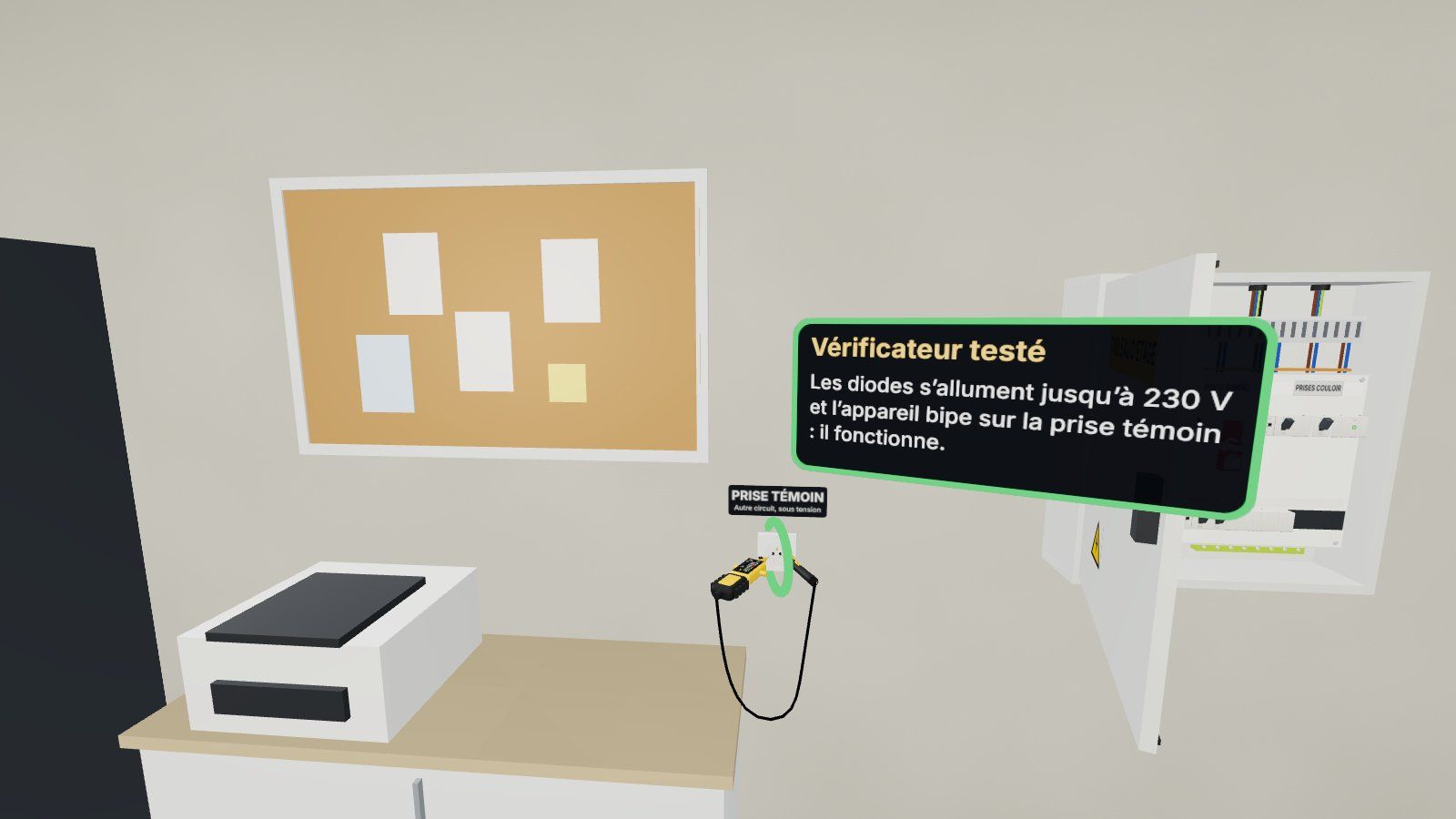 Mission 2: The tester tested on the test socket
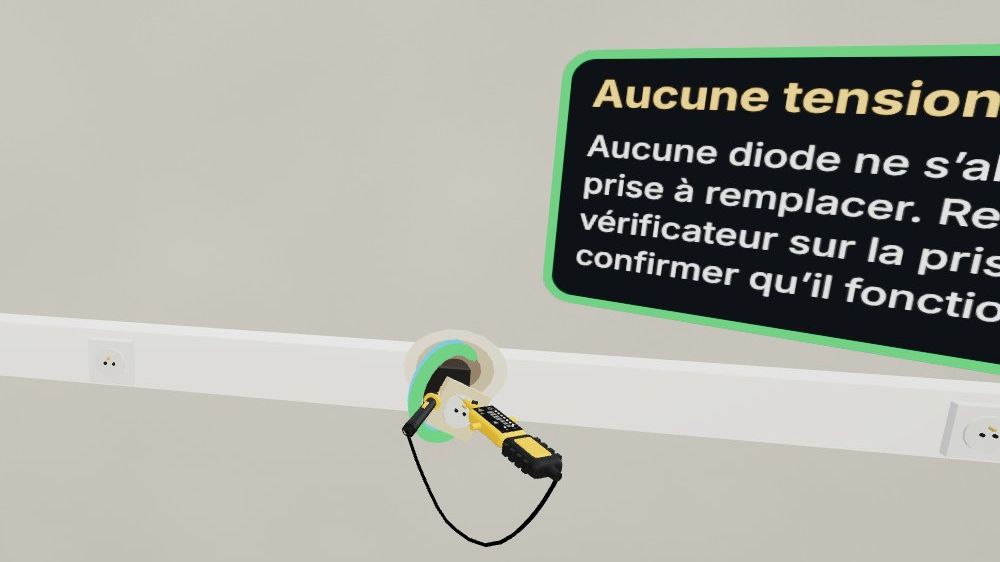 Mission 2: Verification of absence of two-point voltage
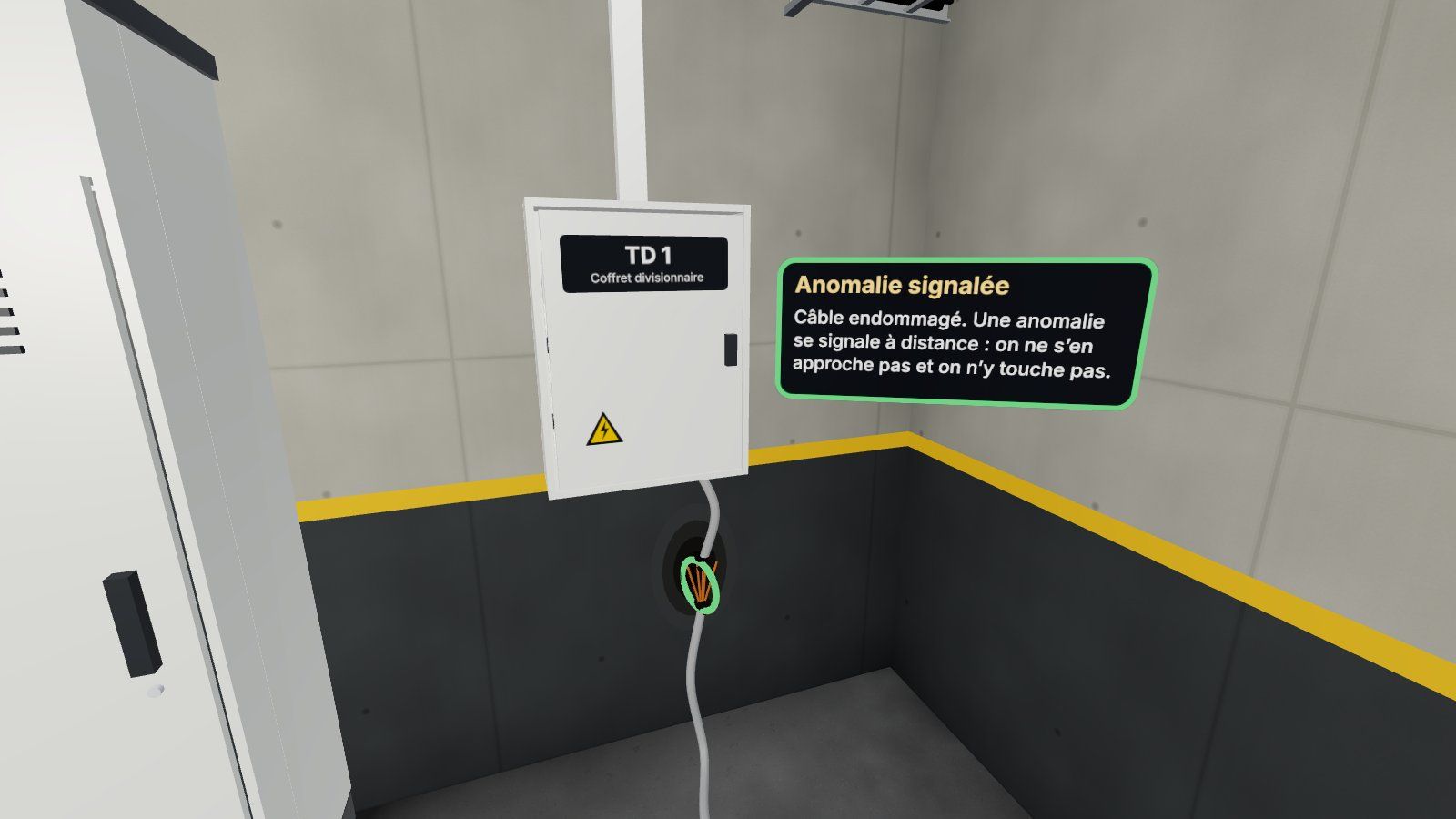 Mission 1: a damaged cable, reported remotely
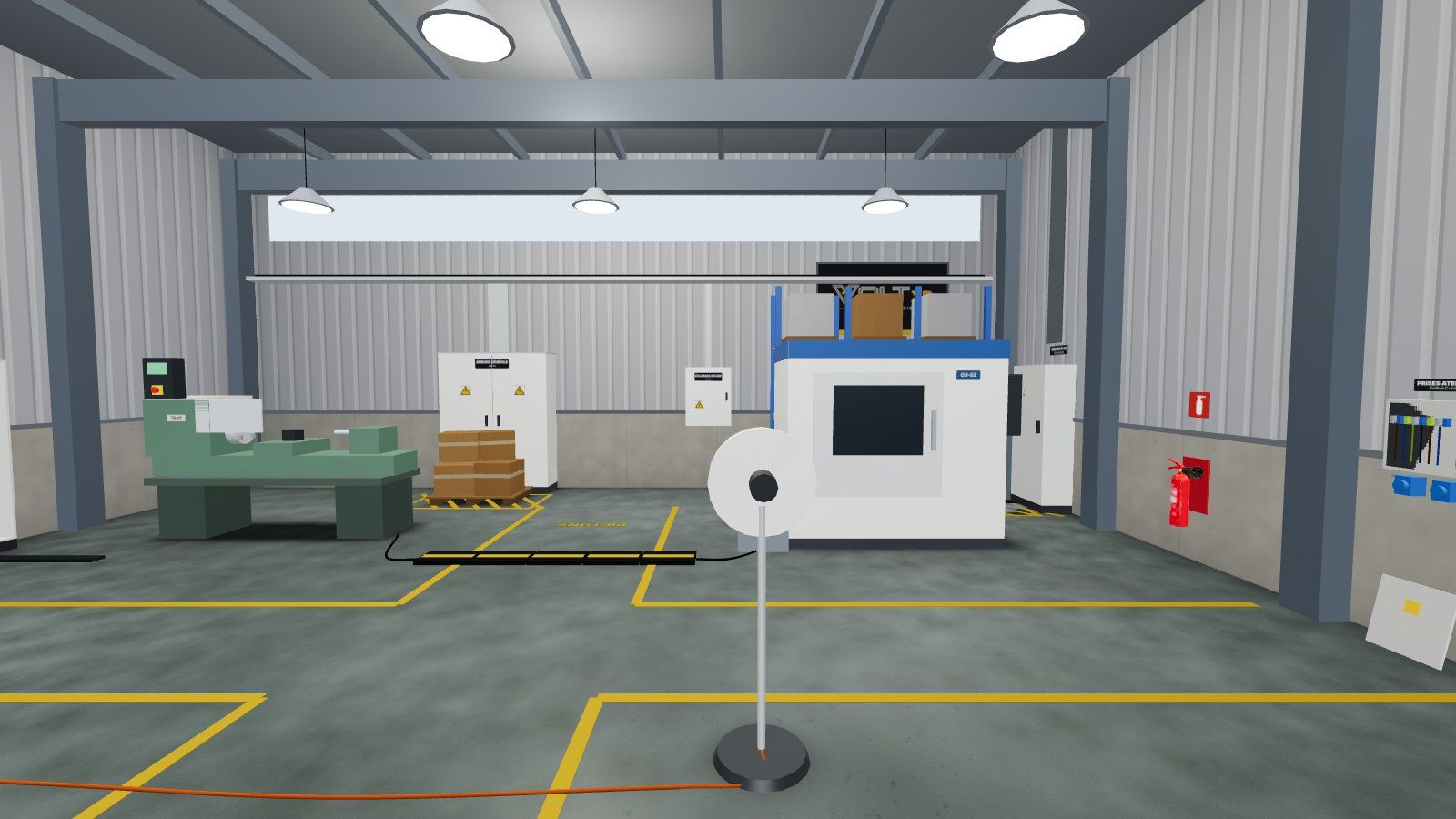 Mission 4: The workshop and its ten anomalies
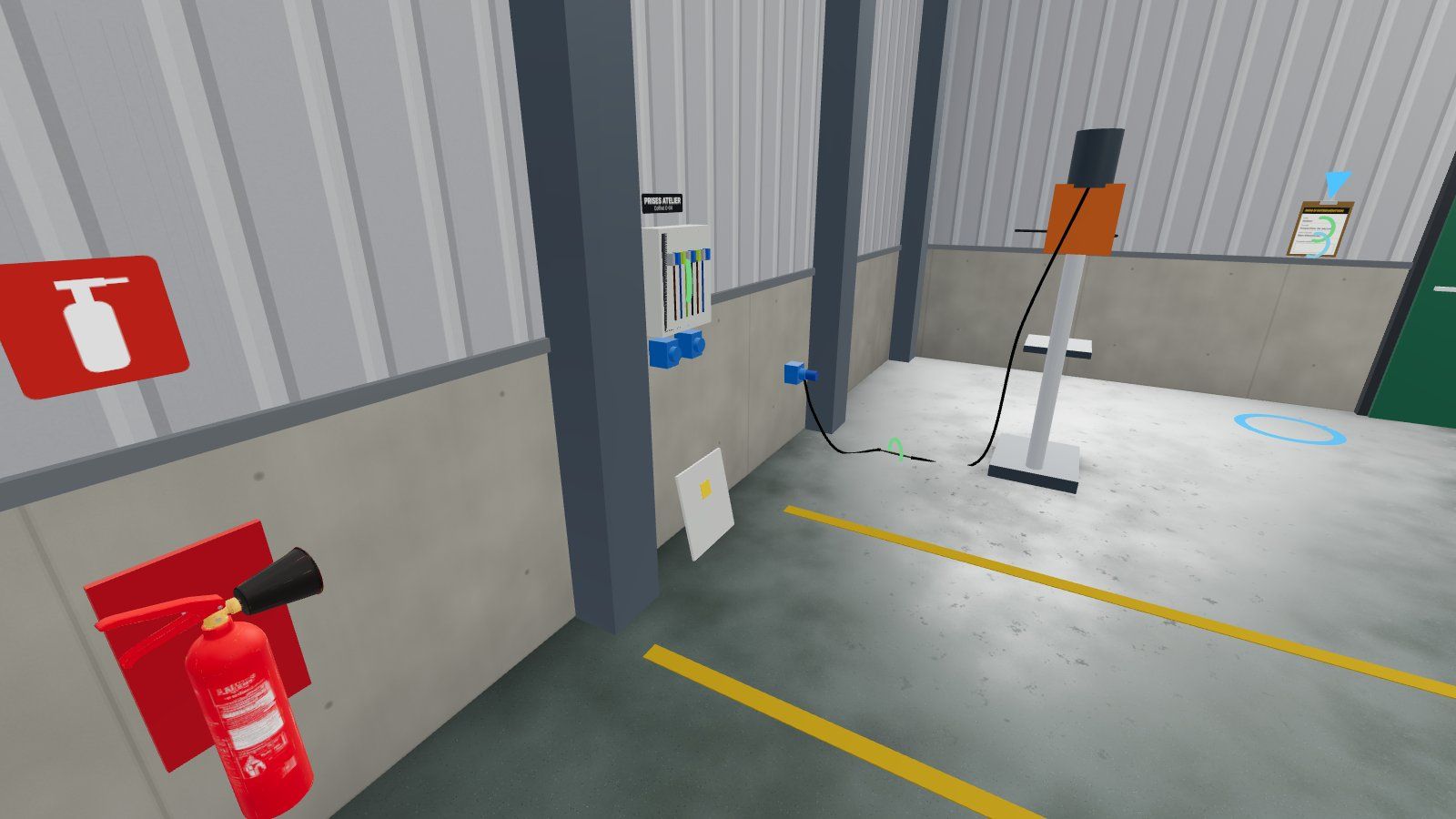 Mission 4: From water to the foot of an electrical cabinetThe theoretical module in the training room
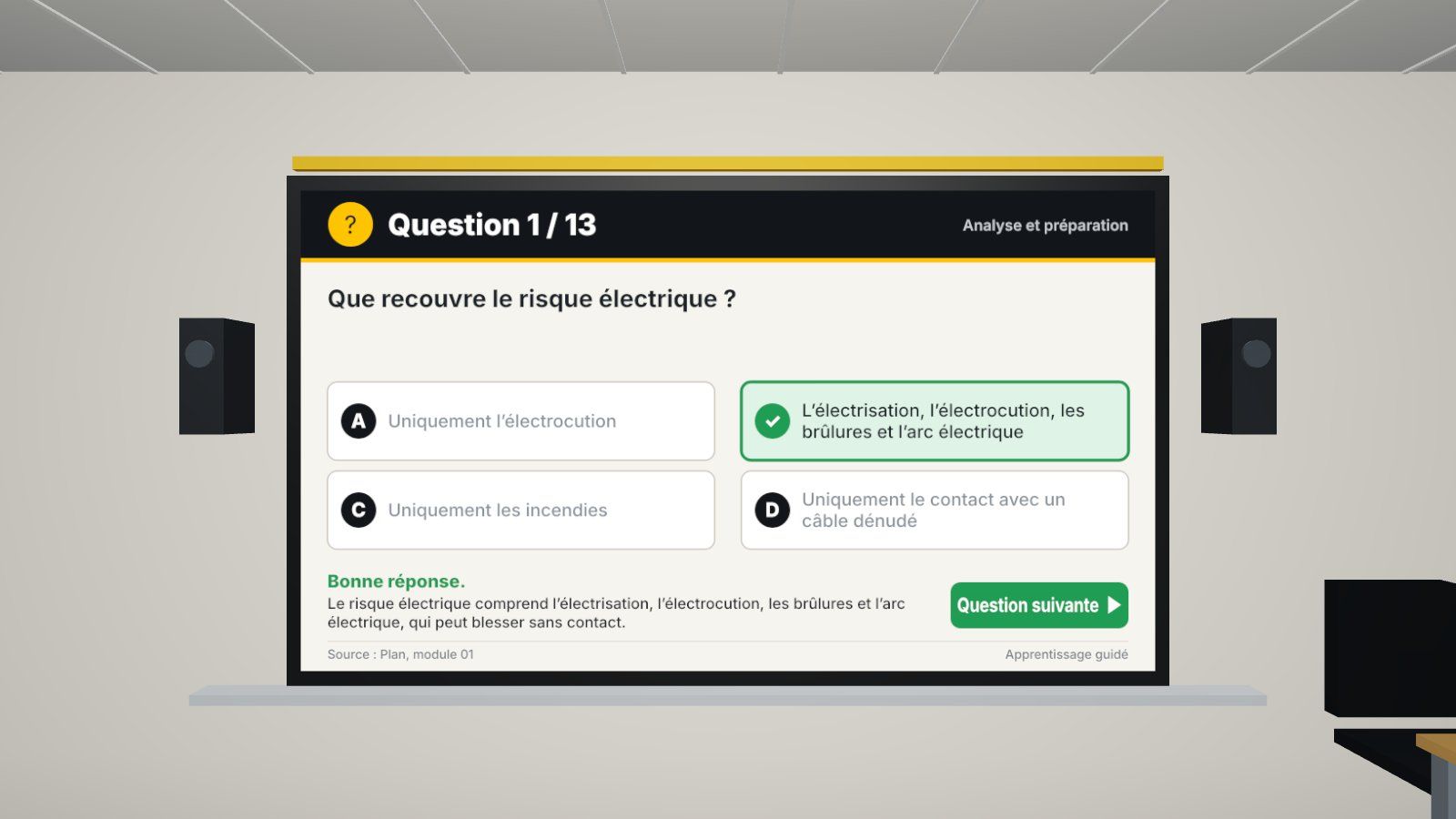 The quiz: correction and explanation after each answerDashboard: Live helmets in 3D viewMission end report: 5 scores, stars and errors explained
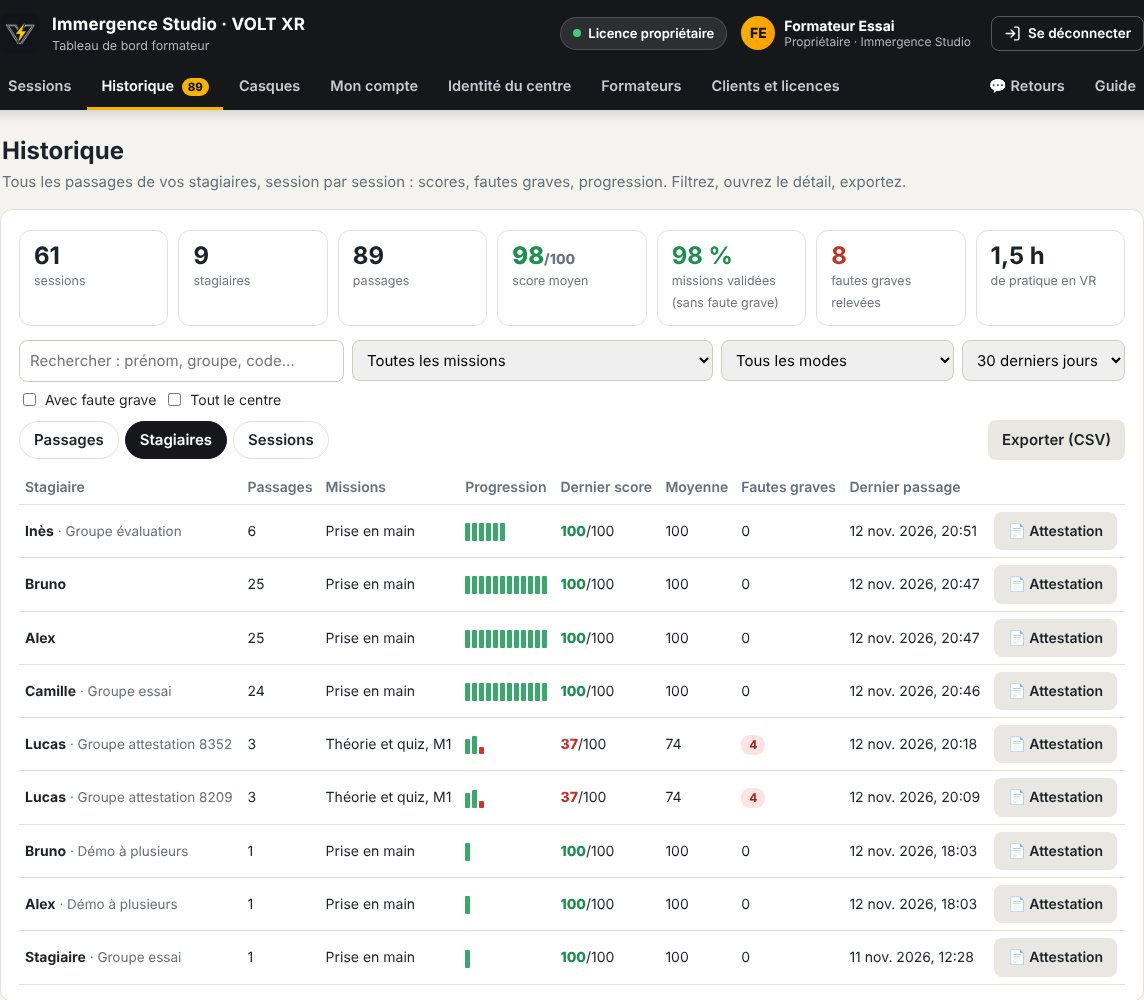 History of the training programs and view from an internCertificate of completion of training
For whom?
For all those who are training in electrical hazards
Training centers
An active application between theoretical knowledge and practical work using real equipment.
QHSE Services
To raise awareness among non-electrical personnel who enter electrical facilities.
Industry and maintenance
The positioning and maneuvering gestures repeated before the intervention.
Schools and CFA
Apprentices who experience the risks before their first job site.
Frequently asked questions
VOLT XR: your questions
What equipment is needed?
A Meta Quest 3 or Pico standalone headset, or a simple computer for demonstration. The VOLT XR works in the headset's browser: no application to install, just an internet connection is enough.
Does the VOLT XR provide electric authorization?
No. VOLT XR is a training tool: it provides real-life situations, results and a certificate of completion of training that the trainer completes and signs. The certificate of qualification is issued by the employer after verifying the skills and aptitude of the employee (Code du travail, article R.4544-10).
Which authorizations are covered?
The theoretical module is addressed to all levels. The practical missions currently cover non-electrical personnel (B0), basic interventions (BS) and operating maneuvers (BE Maneuvering), with a risk hunting workshop. The next missions are vicinity and electrical accident.
Does it replace practical training?
No. VOLT XR prepares and completes the training: the trainee repeats the procedure and sees the consequences of his mistakes before performing exercises on real equipment, which remain essential. All situations are simulated: no exposure to dangerous voltage.
Can we have several interns at the same time?
Yes. The trainer opens a session from his dashboard, the headsets join him with the displayed code, and each trainee appears in the 3D view with their current step. In team mode, the trainees can see each other and talk to each other through the microphone.
What does the trainer get in the end?
A report by trainee and by mission (five scores, stars, duration, errors classified as serious mistakes or forgotten and explained), the result of the quiz question by question, the history of all training sessions, the CSV export and a certificate of completion of training by trainee, ready to be printed.
Can it be used independently?
Yes: In free training, the trainee inputs the code of their center once and plays the missions without a training session, in guided mode or during training.
Technical sheet
Application details
- Category
- Prevention of electrical risk
- Usage
- Initial training, refresher training, awareness-raising
- Contents
- Theoretical module and quiz, 4 practical tasks
- Reference
- Preparation for certification (NF C 18-510)
- Equipment
- Meta Quest 3, Pico, PC
- Installation
- None: helmet browser
- Styles
- Guidance, training, evaluation; solo or team
- Follow-up
- Dashboard, 3D view, history, CSV, certificate
- Publisher
- IMMERGENCE Studio
Prices
A formula for every use Launch offer
Launch prices, in € HT per training center. All content is included in each formula: only the duration and the number of helmets used at the same time change. The number of trainees is unlimited.
Pass 48 hours
One day of security, a demonstration, a fair.
350 €HT
for 5 simultaneous helmets
- No obligation
- Activated on the chosen date
- Unlimited sessions for 48 hours
30-day license
A training session, a periodic refresher course.
990 €HT
for 5 simultaneous helmets
- No obligation
- Extendable without interruption
- Unlimited sessions for 30 days
Subscription
For the centers that operate all year round.
249 €VAT / month
for 5 simultaneous helmets
- 4 times cheaper than a month at the unit
- New missions included
- 12-month commitment
12-month license
Several sites, more than 20 helmets, annual fee.
On request
The best price for the monthLaunch offer: -30% for 5, 10 or 20 helmets, for any order before January 30, 2027.
- Designed for your center
- Order form accepted
- Support for starting up
Helmets not included. Additional training accounts, provision of helmets and training of trainers: on request. Access is personal and reserved to the holder of the license.
Demonstration
Want to see the VOLT XR in your center?
We present you the missions, the theoretical module and the training dashboard, in video conference or in your premises, and we build the offer adapted to your sessions and the number of helmets you have.